
Browse your platform
PCStatic recompilationReleased
Dead or Alive 3
doa3-recomp · by parkerallan
THE PROJECT, IN VIEW
Screens & trailers
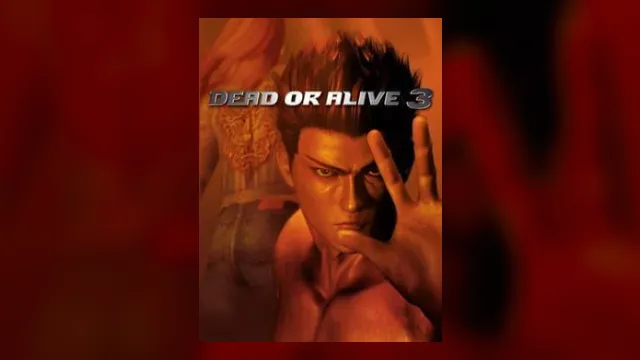
Original artwork, screenshots and trailers in one place.
BEFORE YOU BEGIN
Your setup, at a glance.
Build routeDeveloper release
Original systemXbox
Documented targetWindows
See the developer’s setup guide for the supported game revision, files and first-run steps.
Open the developer’s setup guideAbout the project.
parkerallan publishes this PC recompilation of Dead or Alive 3 for the original Xbox game. The indexed toolchain is xboxrecomp. The original game was developed by Team Ninja and released in 2001.
Setup & original files
PC release setup
Open DOA3.exe and select a US Dead or Alive 3 Xbox disc image in .xiso format. The launcher extracts the assets. Setup instructions
Windows executable · x64 · DOA3-v1.0.7-win64.zip
Program inside the ZIP · DOA3.exe · Program named in the release guide
Verified Windows download
DOA3-v1.0.7-win64.zip · 8,222,510 bytes
SHA-256 4d749122ceb7ba27a95798c99961cd06a64b3468f6a695bcf06da7efa6fd4e68
Windows launch tested
Opened a window titled "Dead or Alive 3". Tested without original game data.
Windows managed installation
A development build of Kipby installed the v1.0.7 release and verified all 1 installed files. Gameplay with the original game data still needs a separate check.
What we checked.
Released- Source checked
- 23 Nov 2026
- Latest commit observed
- Not verified
- Release verified
- v1.0.7
- Reference comparison
- Developer source checked
Desktop package links checked against the tagged developer release. Game-specific launcher and overlay testing is tracked separately.
Status reflects source and release evidence. No independent gameplay or hardware test is implied.
Make it yours.
- Choose your buildCheck the operating system, verified version and experimental notes.
- Set up this releaseSee the developer’s setup guide for the supported game revision, files and first-run steps.
- Launch the projectKeep the extracted files together and follow the developer’s launch instructions.
Original game artwork. See the credited source. Artwork source & credits