
Browse your platform
PCStatic recompilationReleased
Gears of War 3
gears-of-war-3-recomp · by Flippage
THE PROJECT, IN VIEW
Screens & trailers
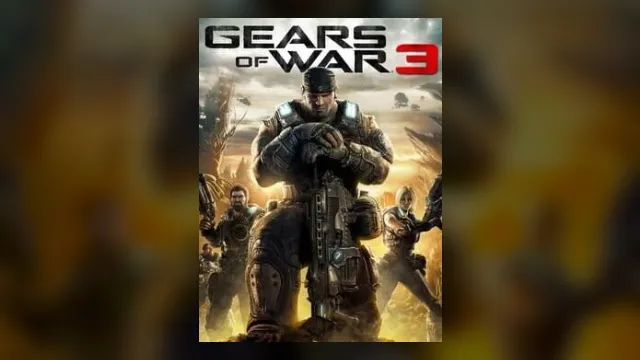
Original artwork, screenshots and trailers in one place.
BEFORE YOU BEGIN
Your setup, at a glance.
Build routeDeveloper release
Original systemXbox 360
Documented targetWindows
Extract the Windows package and start gow3.exe with your Xbox 360 ISO or game folder. For Title Update 6 and DLC, place your unpacked packages beside the game. Use launcher.exe for settings.
Open the developer’s setup guideAbout the project.
Flippage publishes a Windows recompilation of Gears of War 3 from the original Xbox 360 game. The checked release contains gow3.exe.
Setup & original files
PC release setup
Extract the Windows package and start gow3.exe with your Xbox 360 ISO or game folder. For Title Update 6 and DLC, place your unpacked packages beside the game. Use launcher.exe for settings. Setup instructions
Windows executable · x64 · gow3-recomp-0.3.1-win64.zip
Program inside the ZIP · gow3-recomp-0.3.1-win64/gow3.exe · Program named in the release guide
Other executables in this archive (3)
gow3-recomp-0.3.1-win64/launcher.exegow3-recomp-0.3.1-win64/builds/gow3-base.exegow3-recomp-0.3.1-win64/builds/gow3-tu6.exe
Verified Windows download
gow3-recomp-0.3.1-win64.zip · 96,568,449 bytes
SHA-256 063dc28b19879e684fbd682b559c69e1ca9e831e7b41fa5bb95a236bd04a600c
Windows launch tested
Exited with code 0 before a titled window was observed. Tested without original game data.
What we checked.
Released- Source checked
- 23 Nov 2026
- Latest commit observed
- Not verified
- Release verified
- v0.3.1
- Reference comparison
- Developer source checked
Status reflects source and release evidence. No independent gameplay or hardware test is implied.
Make it yours.
- Choose your buildCheck the operating system, verified version and experimental notes.
- Set up this releaseExtract the Windows package and start gow3.exe with your Xbox 360 ISO or game folder. For Title Update 6 and DLC, place your unpacked packages beside the game. Use launcher.exe for settings.
- Launch the projectKeep the extracted files together and follow the developer’s launch instructions.
Original game artwork. See the credited source. Artwork source & credits