
Browse your platform
PCEngine recreationReleased
OpenTTD
Transport network simulation · by OpenTTD contributors
OpenTTD on Steam
OpenTTD is a business simulation game in which players earn money by transporting passengers and cargo via road, rail, water, and air. It is an open-source remake and expansion of the 1995 Chris Sawyer video game Transport Tycoon Deluxe.
- Developer
- OpenTTD
- Publisher
- OpenTTD
- Steam release
- 1 Apr, 2021
- Genres
- Casual, Indie, Simulation
Steam features and system requirements
- Platforms
- Windows, macOS, Linux
- Features
- Single-player, Multi-player, PvP, Online PvP, LAN PvP, Co-op, Online Co-op, LAN Co-op, Cross-Platform Multiplayer, Family Sharing
- Languages
- English, French, Italian, German, Spanish - Spain, Arabic, Bulgarian, Czech, Danish, Dutch, Finnish, Greek, Hungarian, Japanese, Korean, Norwegian, Polish, Portuguese - Portugal, Portuguese - Brazil, Romanian, Russian, Simplified Chinese, Spanish - Latin America, Swedish, Thai, Traditional Chinese, Turkish, Ukrainian, Vietnamese
- Minimum PC requirements
- Minimum: OS *: Windows 11, 10, 8, 7 (32 Bit and 64 Bit) Processor: Yes Memory: 256 MB RAM
- Recommended PC requirements
- Recommended: OS: Windows 10 (64 Bit) Processor: 2+ GHz Memory: 512 MB RAM
 View this edition on Steam
THE PROJECT, IN VIEW
Screens & trailers
Original artwork, screenshots and trailers in one place.
BEFORE YOU BEGIN
Your setup, at a glance.
Build routeDeveloper release
Original systemDOS
Documented targetWindows · macOS · Linux
Extract the Windows ZIP and place the OpenGFX2 Classic TAR in the baseset folder beside openttd.exe. Link openttd.exe in Kipby. OpenGFX2 supplies the graphics without an original Transport Tycoon Deluxe installation.
Open the developer’s setup guideAbout the project.
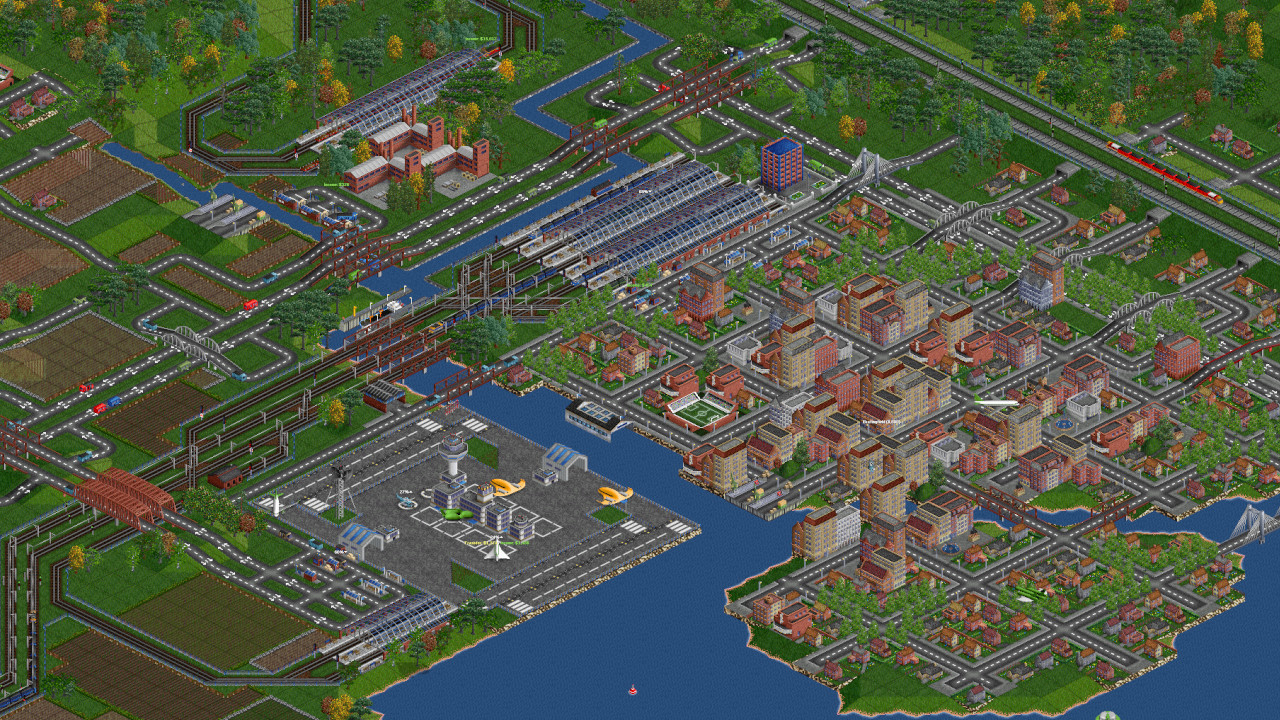
Build railways, roads, airports and shipping routes to carry passengers and cargo between towns and industries.
Setup & original files
Browser edition
Play using the OpenTTD Online community port. You can import and export saves in the player.
Play on the developer’s siteWindows managed installation
A development build of Kipby installed the 15.3 release and verified all 144 installed files. Kipby also updated from 15.2, preserved a saved file and rolled back to that version. See the Windows in-game overlay check below for gameplay results.
Windows in-game overlay
Kipby identified OpenTTD and opened its overlay above the running transport map. Back to game restored keyboard focus. The map scrolled and the simulation advanced from January 18 to January 21 before a normal exit.
Windows overlay test for OpenTTD 15.3What we checked.
Released- Source checked
- 24 Nov 2026
- Latest commit observed
- Not verified
- Release verified
- 15.3
- Reference comparison
- Developer source checked
Status reflects source and release evidence. No independent gameplay or hardware test is implied.
Make it yours.
- Choose your buildCheck the operating system, verified version and experimental notes.
- Set up this releaseExtract the Windows ZIP and place the OpenGFX2 Classic TAR in the baseset folder beside openttd.exe. Link openttd.exe in Kipby. OpenGFX2 supplies the graphics without an original Transport Tycoon Deluxe installation.
- Launch the projectKeep the extracted files together and follow the developer’s launch instructions.
OpenTTD project logo. Gameplay captured by Kipby using OpenGFX2 Classic. Artwork source & credits