
Browse your platform
PCOpen source gameReleased
Freedoom: Phase 2
32-level first-person shooter · by Freedoom contributors
THE PROJECT, IN VIEW
Screens & trailers
Original artwork, screenshots and trailers in one place.
BEFORE YOU BEGIN
Your setup, at a glance.
Build routeDeveloper release
Original systemPC
Documented targetWindows · macOS · Linux
Extract Crispy Doom 7.2.0 for Windows and place freedoom2.wad from the Freedoom 0.13.0 ZIP beside crispy-doom.exe. Import crispy-doom.exe into Kipby and set the launch arguments to -iwad freedoom2.wad.
Open the developer’s setup guideAbout the project.
Fight through 32 original levels in the second Freedoom campaign. Kipby tested the opening level with the Crispy Doom engine.
Setup & original files
Browser edition
Choose Doom (PrBoom). Put prboom.wad alongside freedoom2.wad in the player’s storage and load freedoom2.wad from Freedoom: Phase 2.
Play on the developer’s siteWindows managed installation
A development build of Kipby installed the v0.13.0 release and verified all 44 installed files. Kipby also updated from v0.12.1, preserved a saved file and rolled back to that version. See the Windows in-game overlay check below for gameplay results.
Windows in-game overlay
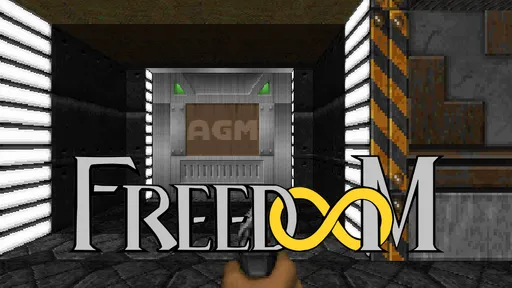
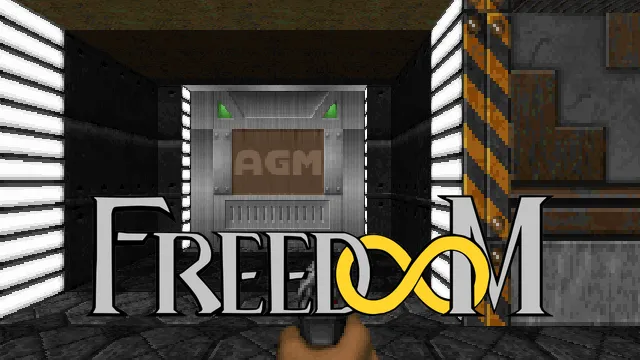
Kipby opened over MAP01 in Crispy Doom and identified Freedoom: Phase 2. Back to game restored keyboard focus, and the player turned to face the AGM door. F12 saved a screenshot of the AGM door while the game kept focus. A pinned note and running timer stayed visible during play. The note was still there when the overlay reopened.
- Return focus to the game
- Screenshots (F12)
- Pinned notes
- Focus timer
- Screenshot & return
- Browse screenshots in the library
Windows development build · In the Windows development build, Screenshot & return saved two MAP01 captures under Freedoom: Phase 2 and returned focus to the game. Both opened from its library page. The enlarged viewer showed the entire 640 × 480 image, supported keyboard navigation and restored keyboard focus when closed.
Windows overlay test for Freedoom: Phase 2 0.13.0What we checked.
Released- Source checked
- 24 Nov 2026
- Latest commit observed
- Not verified
- Release verified
- v0.13.0
- Reference comparison
- Developer source checked
Status reflects source and release evidence. No independent gameplay or hardware test is implied.
Make it yours.
- Choose your buildCheck the operating system, verified version and experimental notes.
- Set up this releaseExtract Crispy Doom 7.2.0 for Windows and place freedoom2.wad from the Freedoom 0.13.0 ZIP beside crispy-doom.exe. Import crispy-doom.exe into Kipby and set the launch arguments to -iwad freedoom2.wad.
- Launch the projectKeep the extracted files together and follow the developer’s launch instructions.
Freedoom project vector logo over MAP01 gameplay captured by Kipby in Crispy Doom 7.2.0. Artwork source & credits